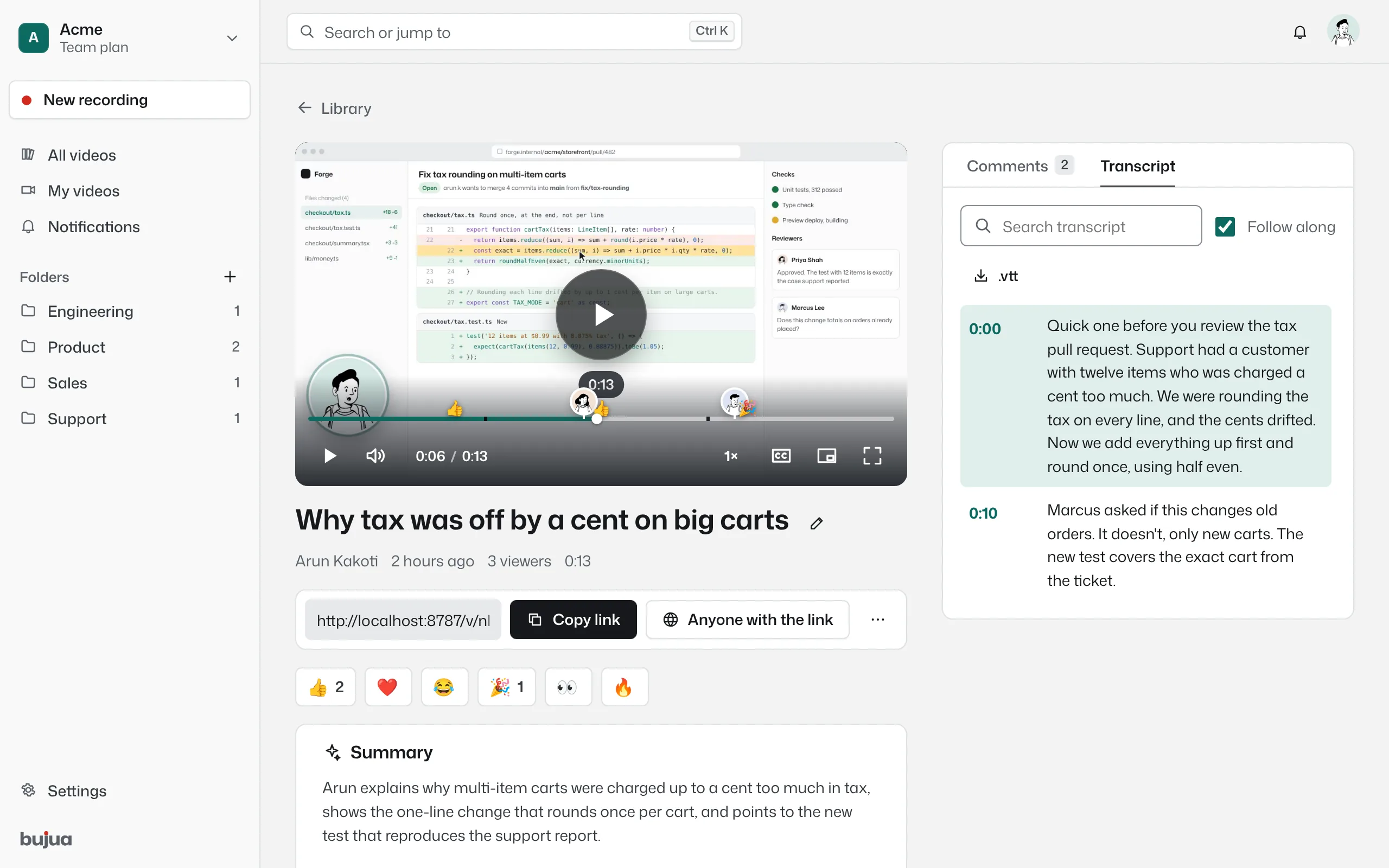
Every video, transcribed, summarised and searchable
Captions for people watching on mute, a summary for people in a hurry, and chapters for people looking for one part. On every plan, including Free.
- Captions and a click-to-seek transcript
- A short summary and chapters
- Search every word said in your library
- Included on every plan
Search what was said, not just what it was called
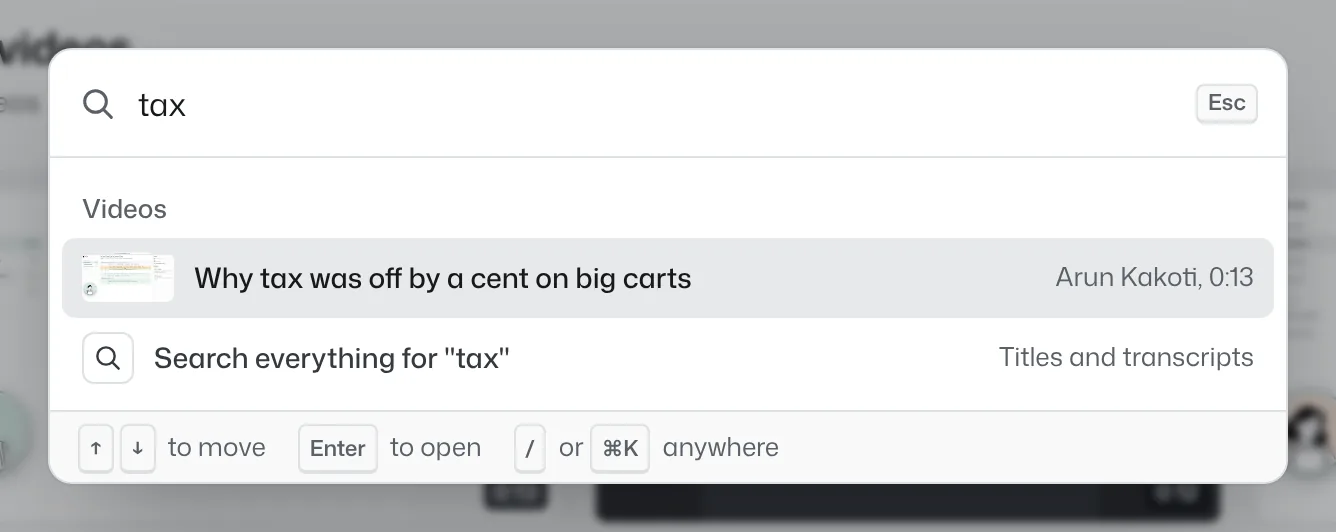
Transcripts are indexed with titles and descriptions, so searching “export setting” finds the video where someone said it, even if the title was “Quick update”. ⌘K or / opens search anywhere in the app.
Titles that write themselves
When you finish a recording, the title is generated from what you said, so your library reads like a list of topics instead of a list of timestamps. Rename anything with a click.
Your videos are not training data
Transcription and summaries run on Cloudflare's AI platform. We don't use your videos or transcripts to train models, and neither does Cloudflare. You can regenerate or delete a transcript at any time.
Transcripts: common questions
Something missing? Questions sent through the contact page get an answer within a working day.
Which languages are supported?
Transcription detects the spoken language automatically and works with most major languages. Summaries are written in English.
How long does a transcript take?
Usually about a minute after the upload finishes.
Can I edit the transcript?
You can regenerate it at any time. Editing individual lines is on our roadmap.
Do transcripts cost extra?
No. Transcripts, summaries and chapters are included on every plan, including Free.
Your next explanation could be a two minute video.
The first one needs no account and no install, and the link is ready when recording stops.