A screen recorder that lives in your browser
Screen, camera or both, from any tab. No download, no admin rights, no waiting for an upload when you stop.
- Works on Chromebooks and locked-down work laptops
- Camera bubble that floats over every app
- A crash never costs you the take
- Link is copied the moment you stop
Three ways to record
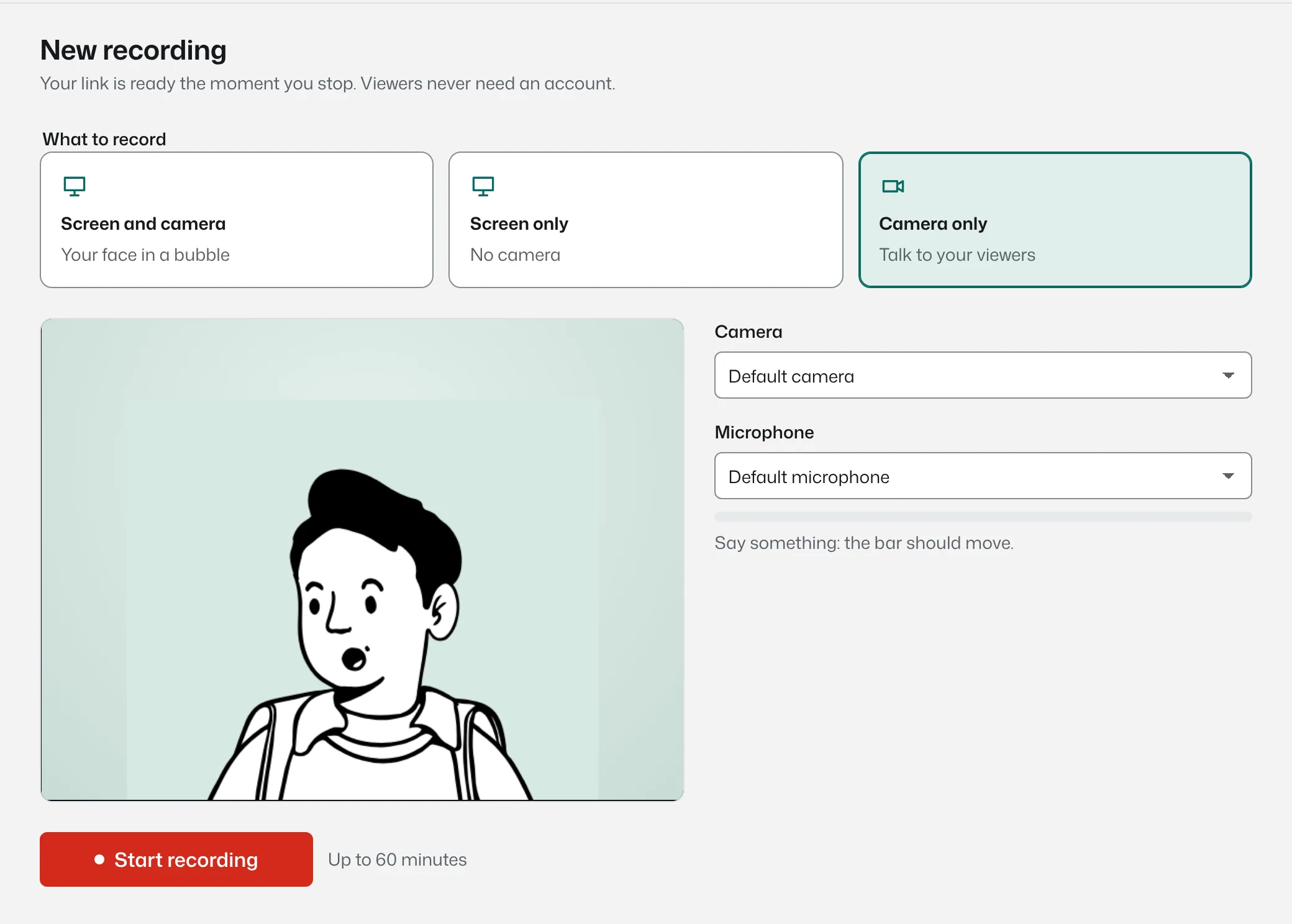
Screen and camera puts your face in a round bubble over your work, which is what most explanations need. Screen only is for quick walkthroughs. Camera only is for updates, intros and replies, and it works on phones too.
Share a whole screen, one window, or a single browser tab. Tab sharing can include the tab's audio, so product demos with sound come through properly.
Your face stays on top, wherever you click
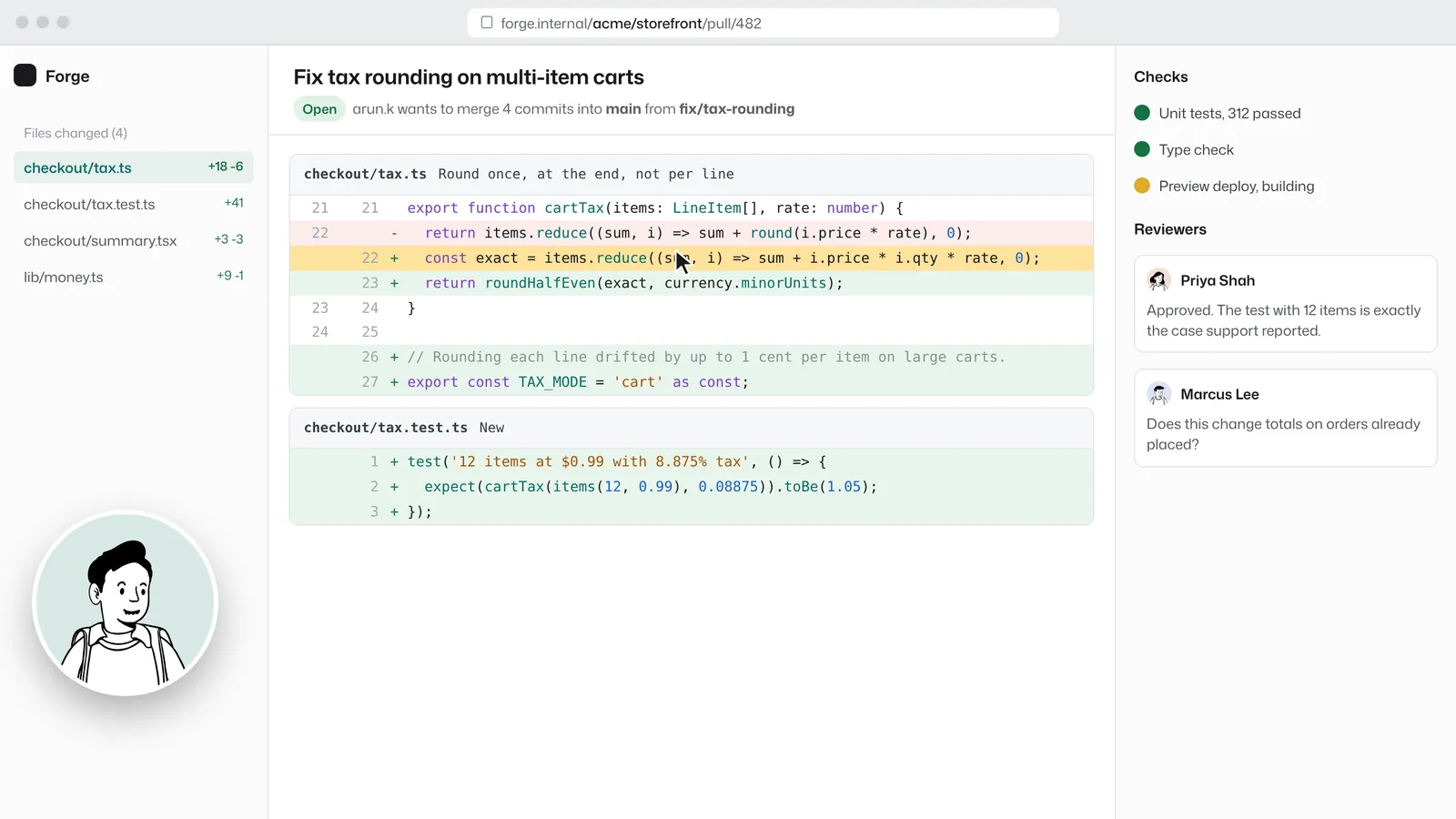
In Chrome and Edge the camera bubble opens in its own always-on-top window, so it follows you into your editor, your slides or your spreadsheet, not just the browser tab you started from. It has the pause and stop buttons on it, so you never have to hunt for the recorder.
In other browsers the bubble is recorded from the page itself, and everything else works the same.
Recordings that survive a crash
While you record, every second is written to your device and uploaded in the background. If the tab crashes, the laptop sleeps or Wi-Fi drops, open the recorder again and your recording is waiting, ready to finish uploading. Nothing is lost and nothing is re-recorded.
Because the video uploads while you talk, the share link is on your clipboard the moment you press stop.
The details
- Browsers
- Chrome, Edge and Firefox on Windows, macOS, Linux and ChromeOS. Safari works for watching, camera recording and uploads.
- Phones and tablets
- Record with the camera, or upload a video. Phones do not allow web pages to capture the screen.
- Length
- Up to 5 minutes on Free, up to 60 minutes on Pro and Team.
- Audio
- Microphone, plus tab or system audio where the browser offers it.
- Editing
- Trim the start and end after recording. Replace the thumbnail with any frame or an image.
- Uploads
- MP4, MOV, WebM and MKV files, or a direct link to a file.
Recorder: common questions
Something missing? Questions sent through the contact page get an answer within a working day.
Do I need to install anything?
No. The recorder runs in the browser. The Chrome extension is optional and only adds a shortcut and a toolbar button.
Does it work on a Chromebook?
Yes. Recording in Chrome on ChromeOS works the same as on Windows or a Mac.
Can I pause and carry on?
Yes. Pausing is unlimited, and the pause is cut out of the final video.
What happens if my browser crashes?
The recording is saved on your device as it happens. Reopen the recorder and it offers to finish uploading.
Can I record without an account?
Yes. The recorder works without an account for up to 5 minutes, and the recording moves into the account if one is created later.
Your next explanation could be a two minute video.
The first one needs no account and no install, and the link is ready when recording stops.